Everything you need
to cover CarePilot
Press kit, Android and iPhone screenshots, logos, videos, portrait and biography. Downloadable without requesting access and free to use with credit. If you need something that is not here, write to us and we will prepare it.
- No sign-up
- Free to use with credit
- Reply within 24-48 h
- 13
- pages of press kit
- 14
- high-resolution screenshots
- 3
- videos ready to air
- 6
- languages in the app
Usage rights
All material on this page may be freely reproduced in editorial pieces about CarePilot, crediting: “Image / Video: CarePilot / Utility Lab Studio”.
A note on the illustrations
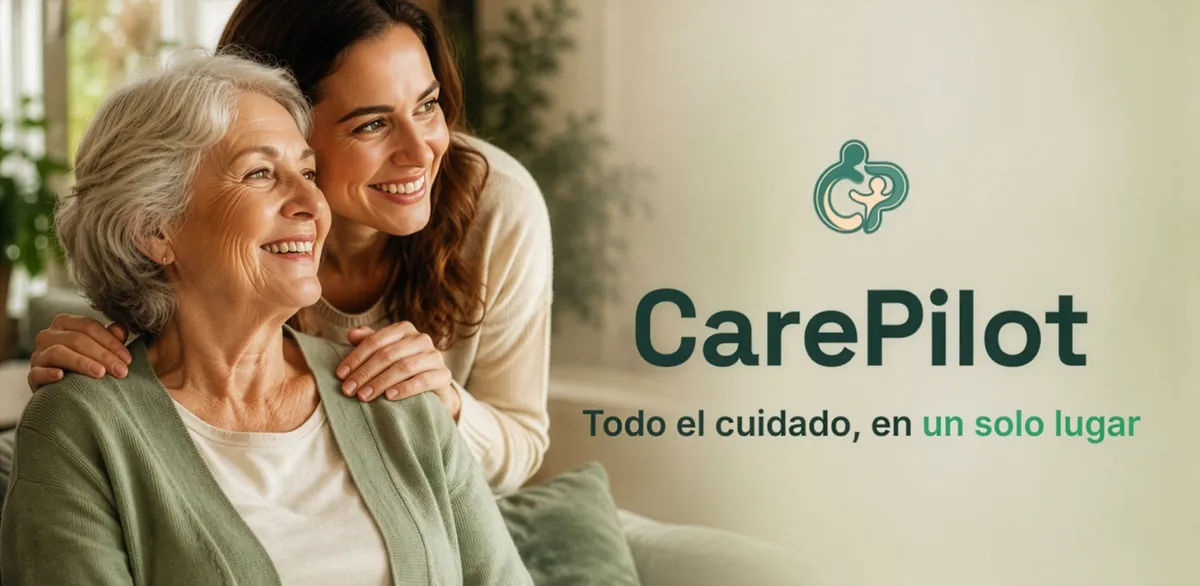
The cover image and the people appearing in the videos are AI-generated illustrations — not photographs of real people. The screenshots, by contrast, are real recordings of the app.
— Material
Downloads
Each file on its own, or everything together in the complete kit. Sizes are real, measured on the file.
Press kit
PDFThirteen pages: what it is and how it works, features, use cases, screenshots, privacy, plans and pricing, fact sheet, quotes and FAQ. This is the main piece.
Complete kit
ZIPEverything on this page in a single file: texts, Android and iPhone screenshots, logos, cover image, portrait, videos and the PDF press kit.
Texts
ZIP · 18 KB · 8 files
Press release, ready-to-publish article, interview, captions, biography and brand guidelines, in Markdown.
Download
Logos
ZIP · 4,4 MB · 19 files
Horizontal and vertical logo, symbol and app icon. In SVG — vector, crisp at any size — and in transparent PNG, with a version for dark backgrounds and the brand usage guidelines.
Download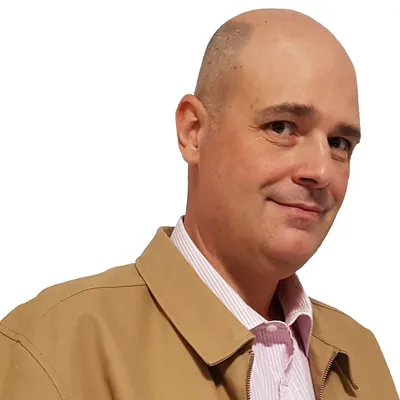
Developer portrait
ZIP · 4,5 MB · 4 files
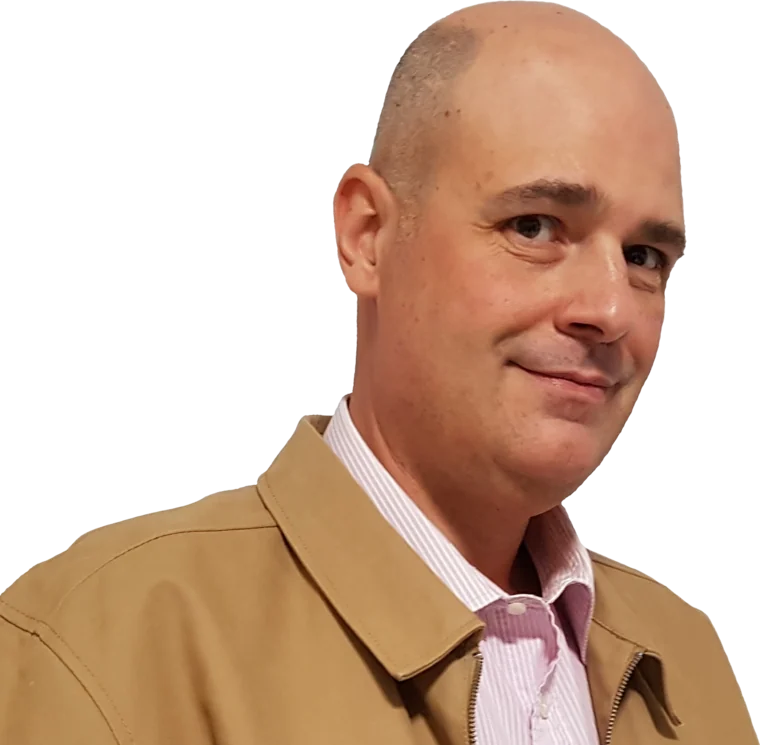
Four crops of Jose Boluda’s portrait — vertical, horizontal, square and cut out without background — and his biography in two lengths.
DownloadIf a link fails or you need another format, write to us and we will email it to you.
— Gallery
Screenshots
The seven main screens, captured on both systems. Switch platform with the selector: the app is identical on either one.
Click a screenshot to see it large. Each one can be downloaded on its own in high resolution.
-
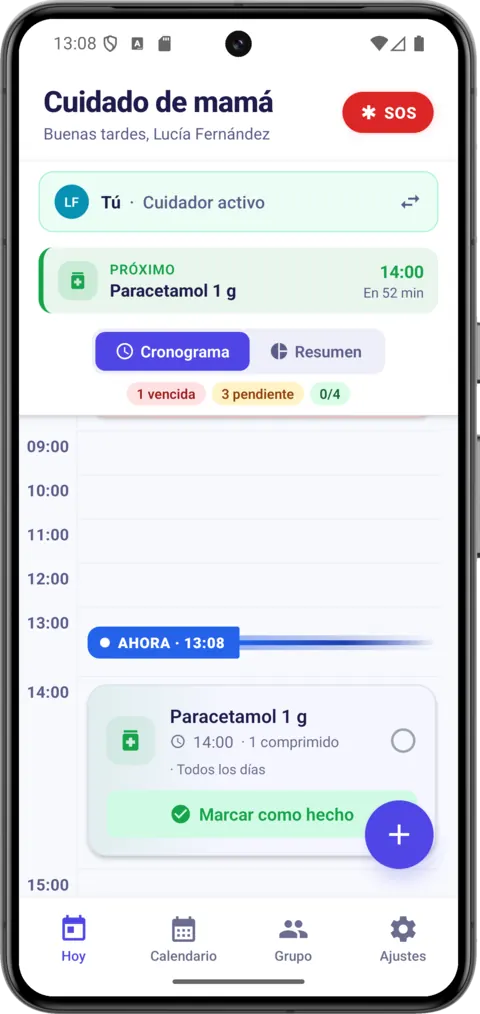
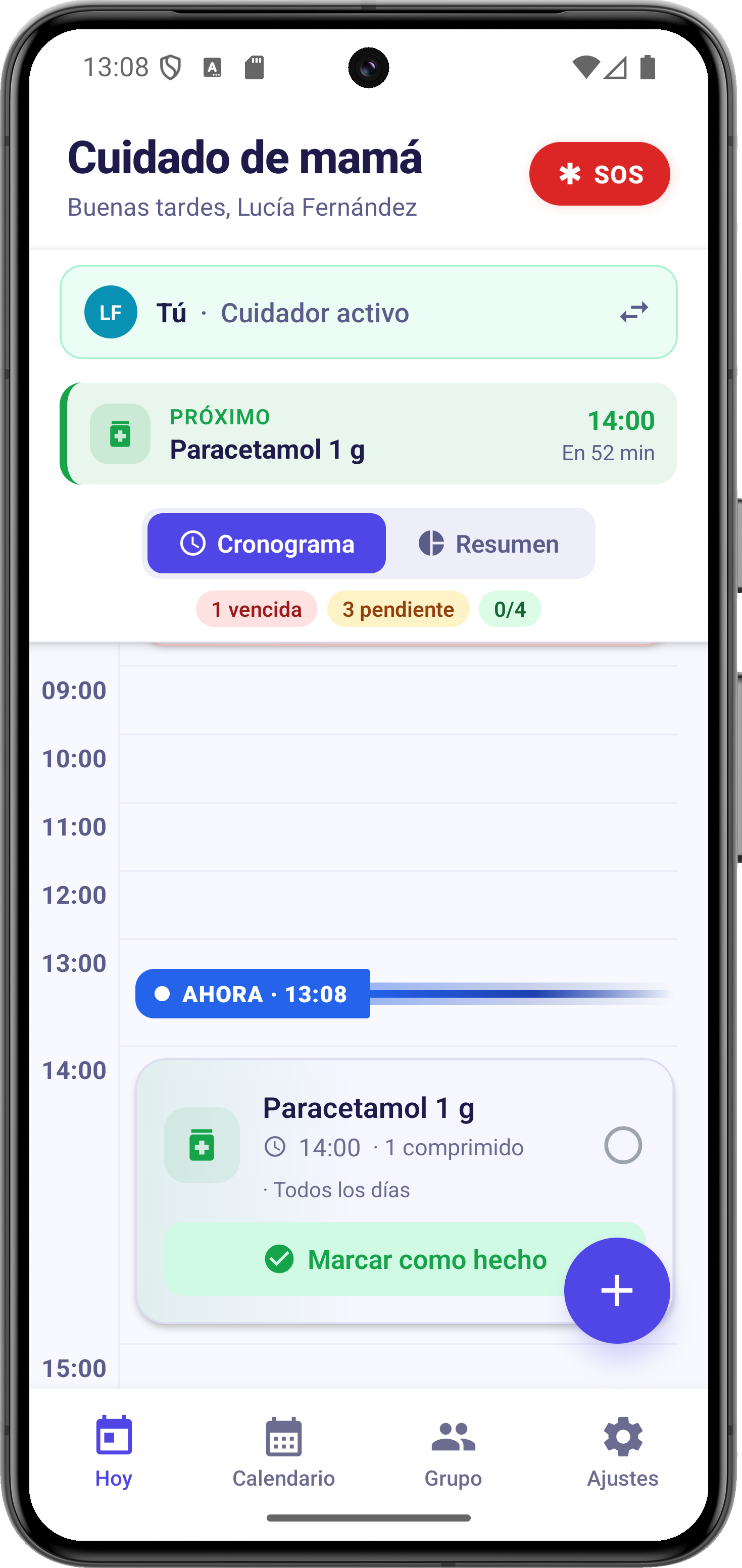
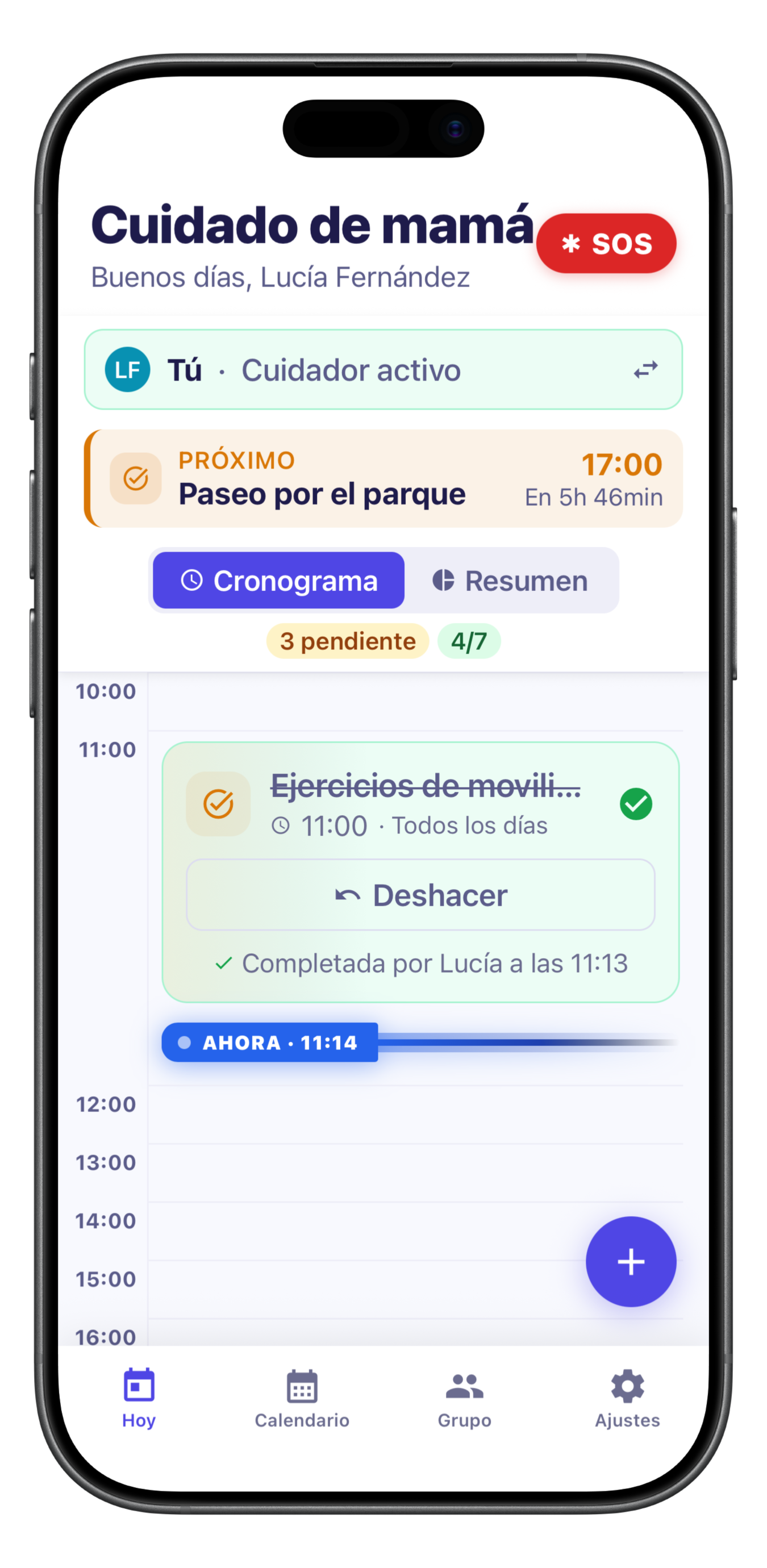
The “Today” panel: who is caring now, the next dose and the day’s timeline.
Download PNG 641 KB -
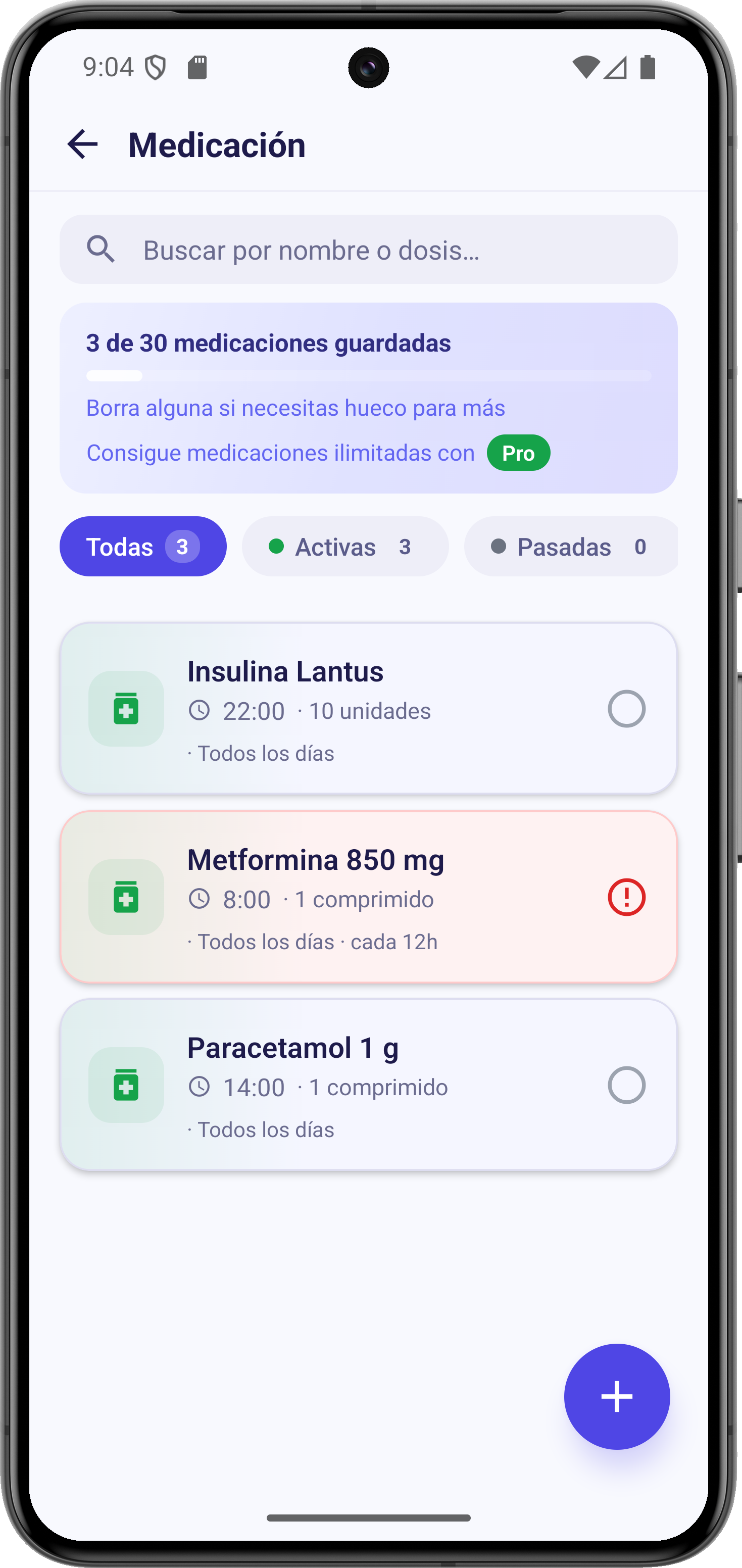
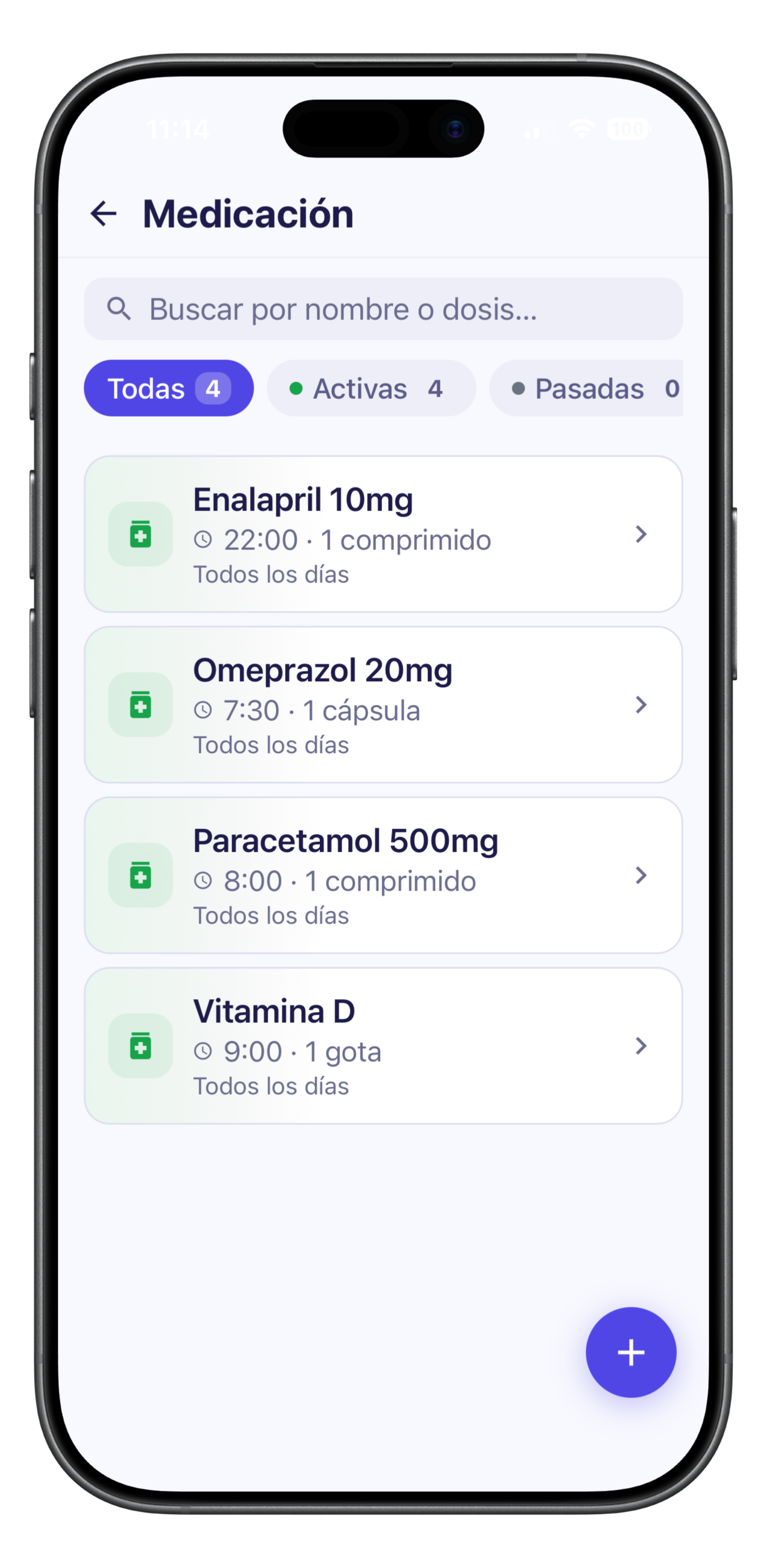
Each medication with its dose, frequency and duration, and automatic reminders.
Download PNG 850 KB -
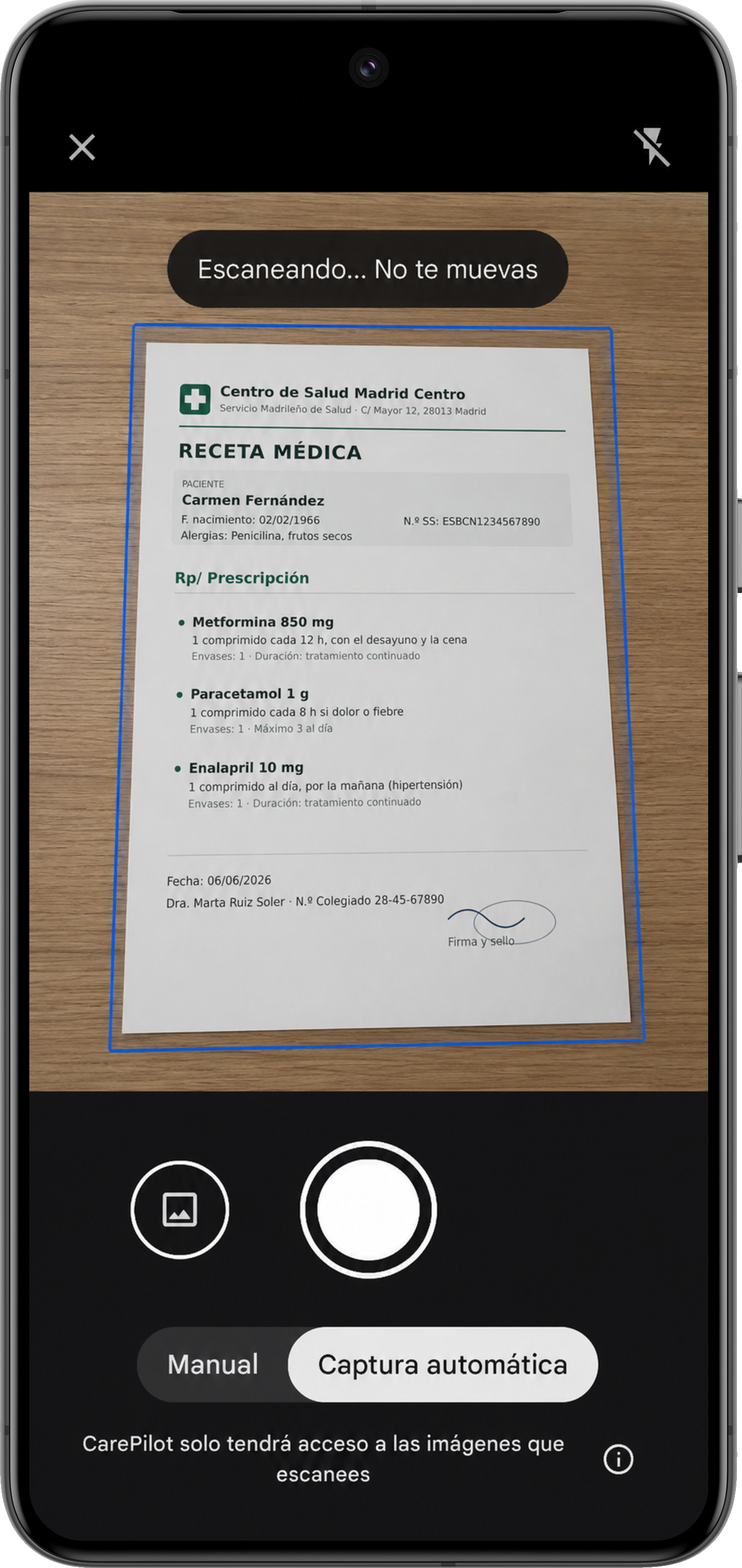
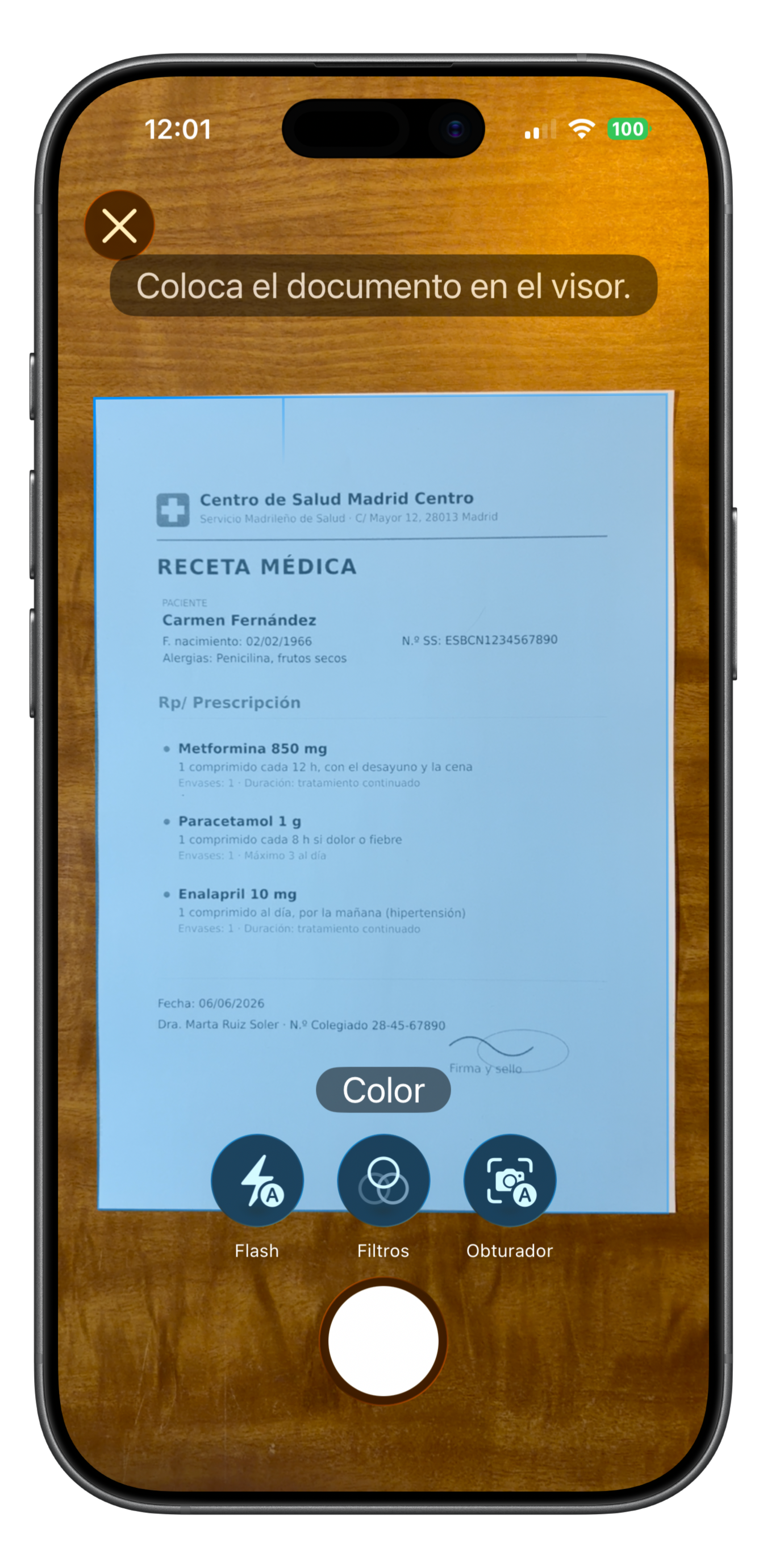
The AI scanner recognises prescriptions, appointments, receipts and reports, and fills in the data.
Download PNG 3,4 MB -
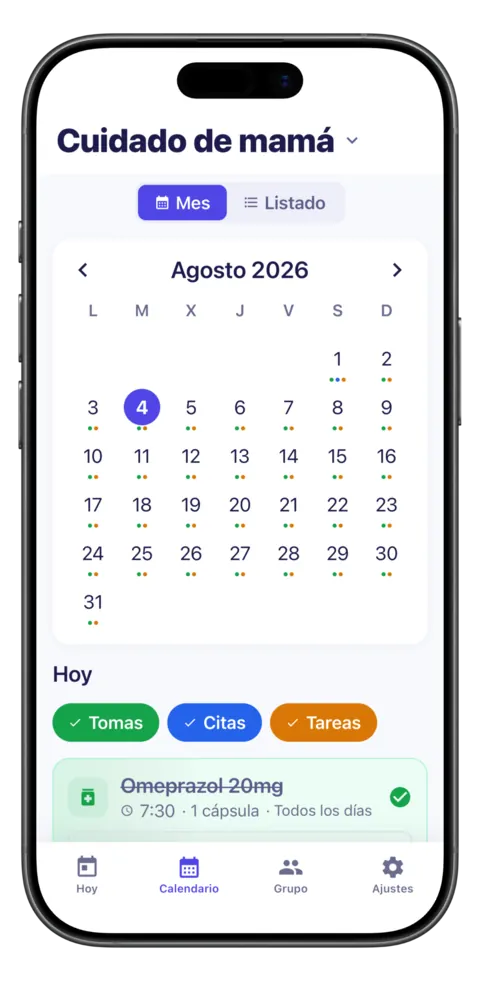
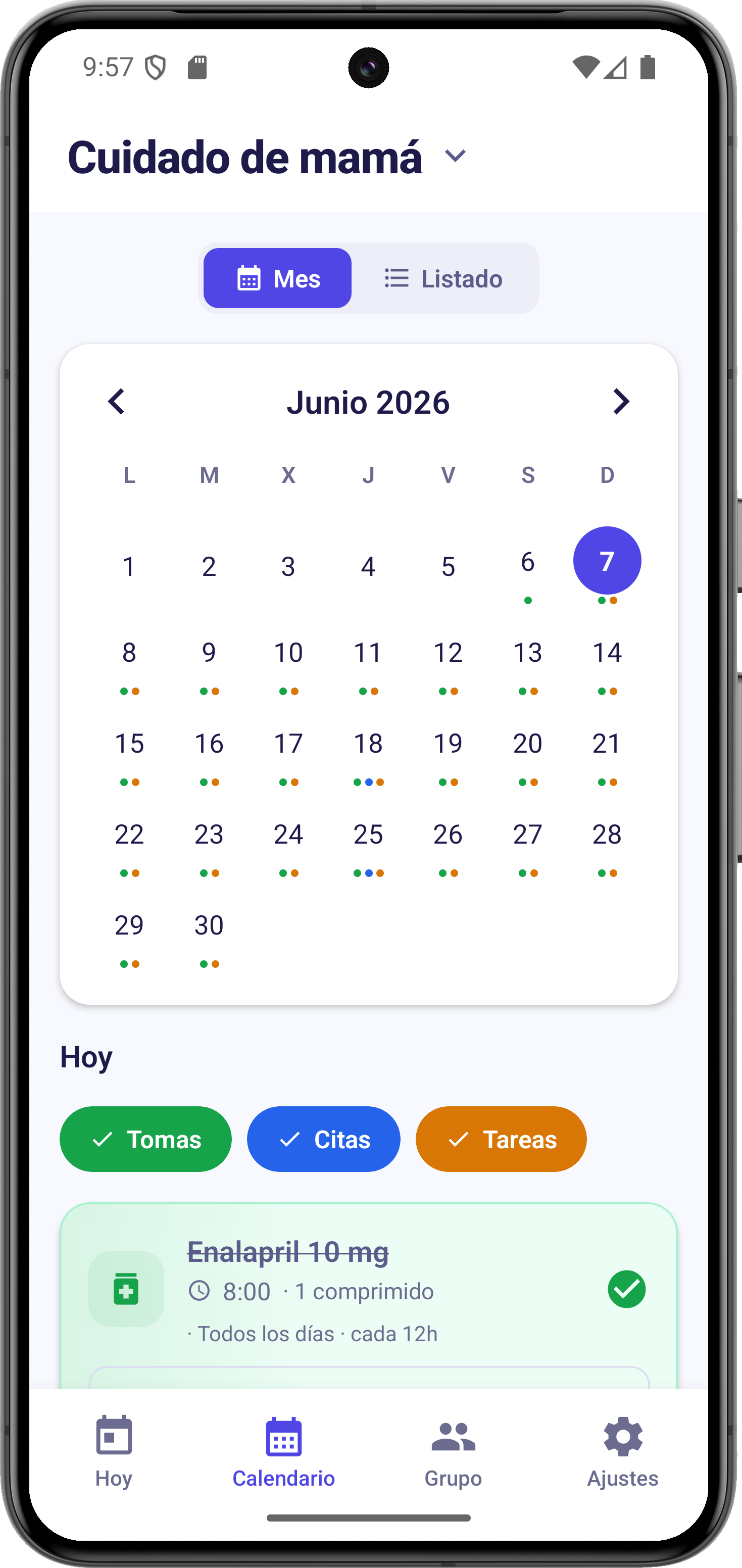
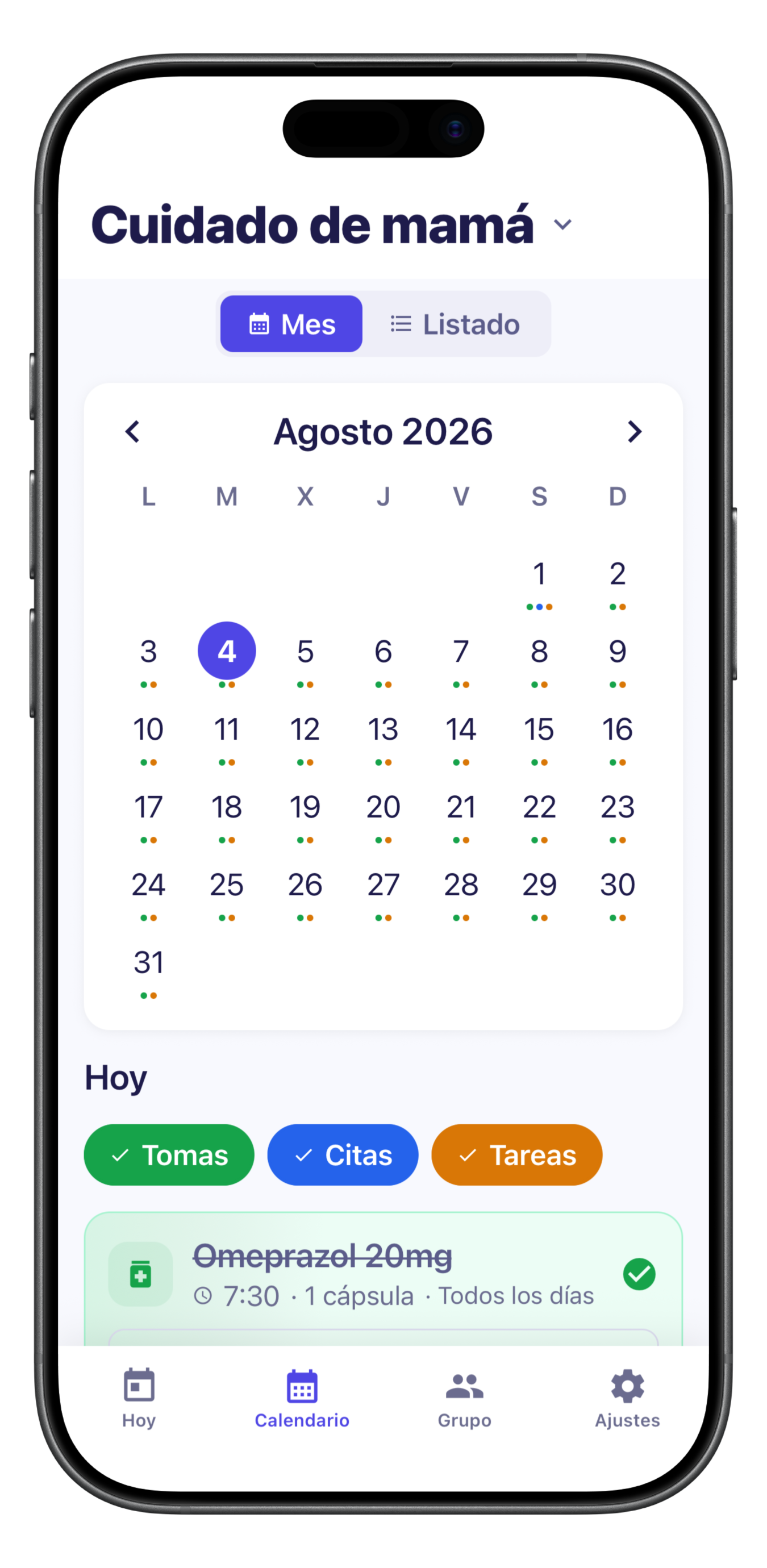
Medical appointments, centralised in a shared calendar.
Download PNG 575 KB -
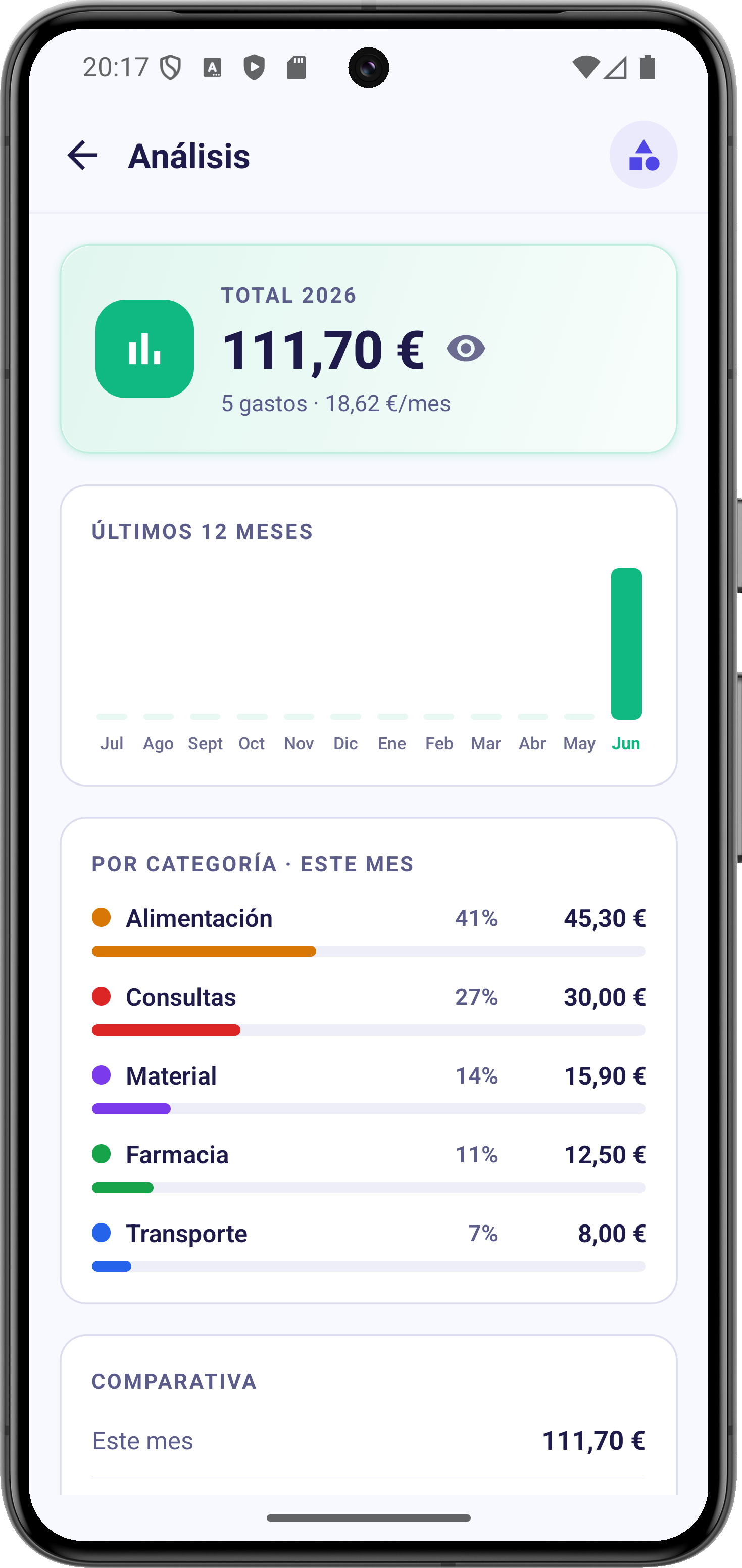
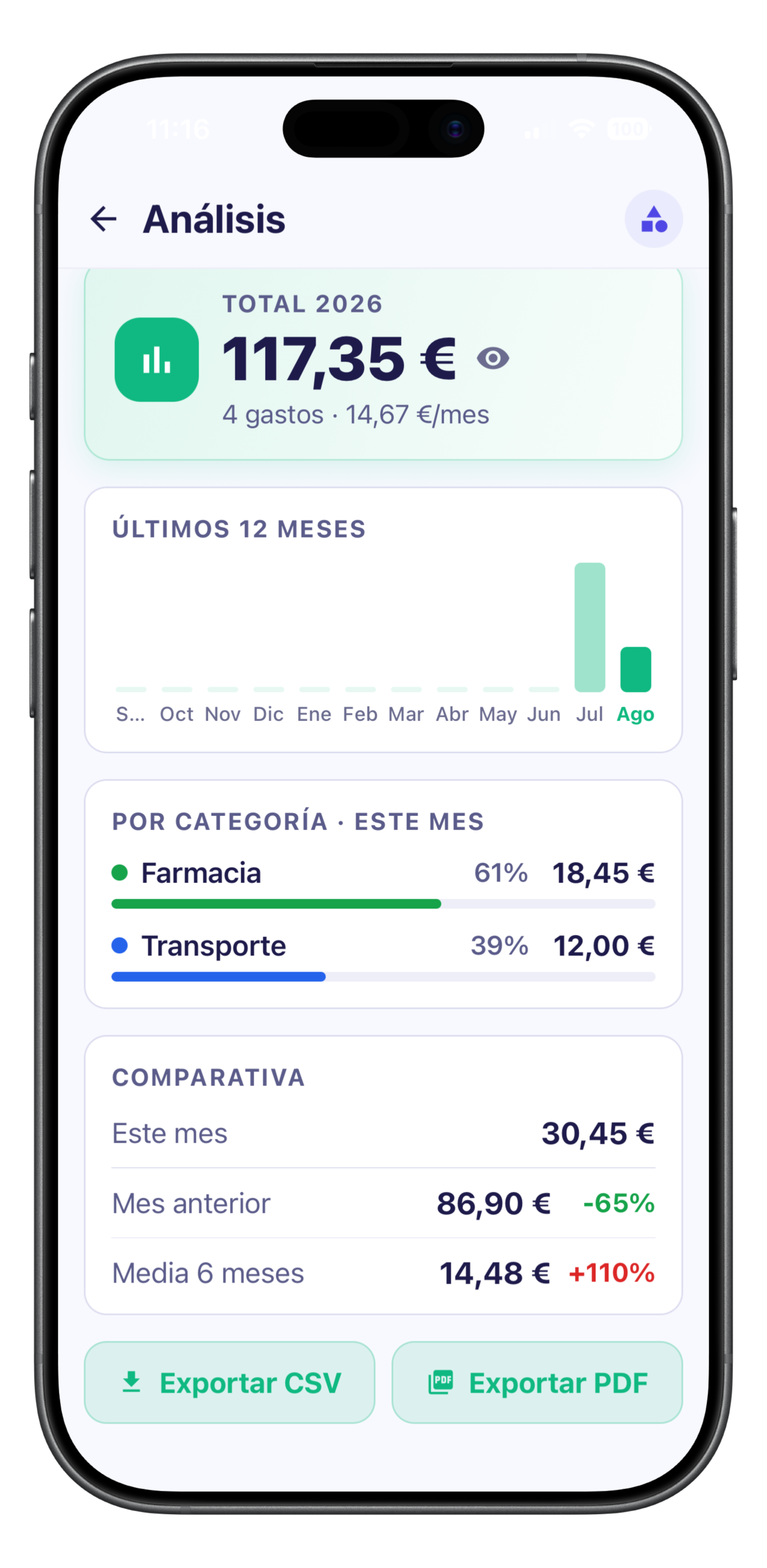
Care spending, broken down by category and across the year.
Download PNG 647 KB -
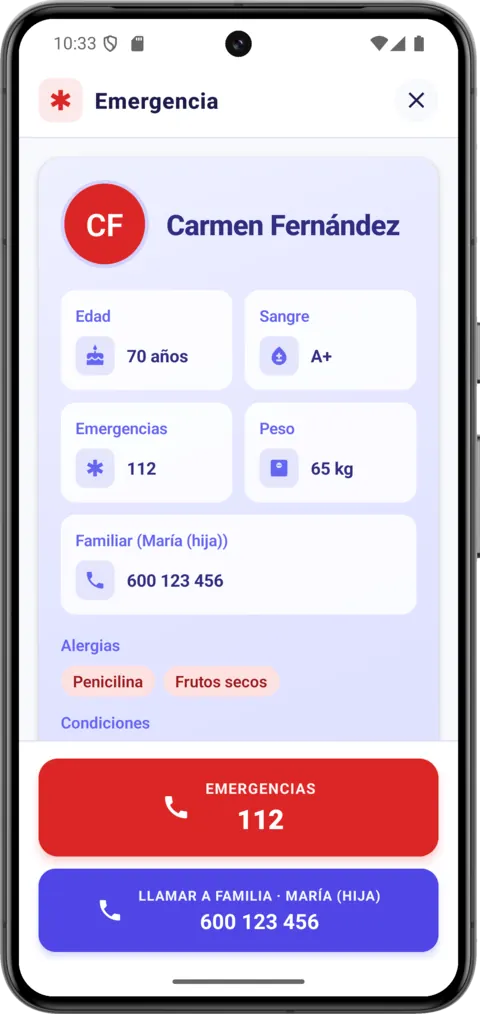
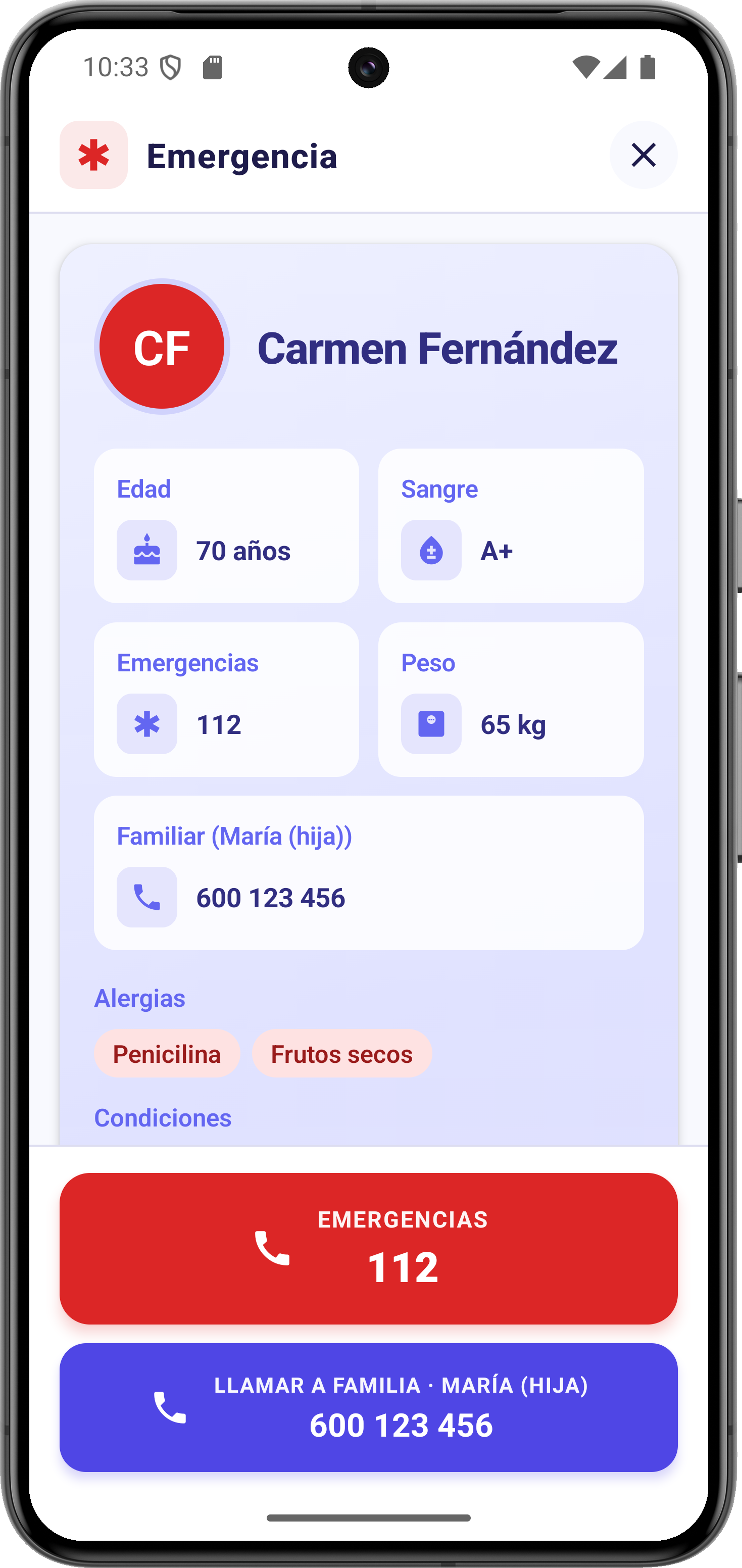
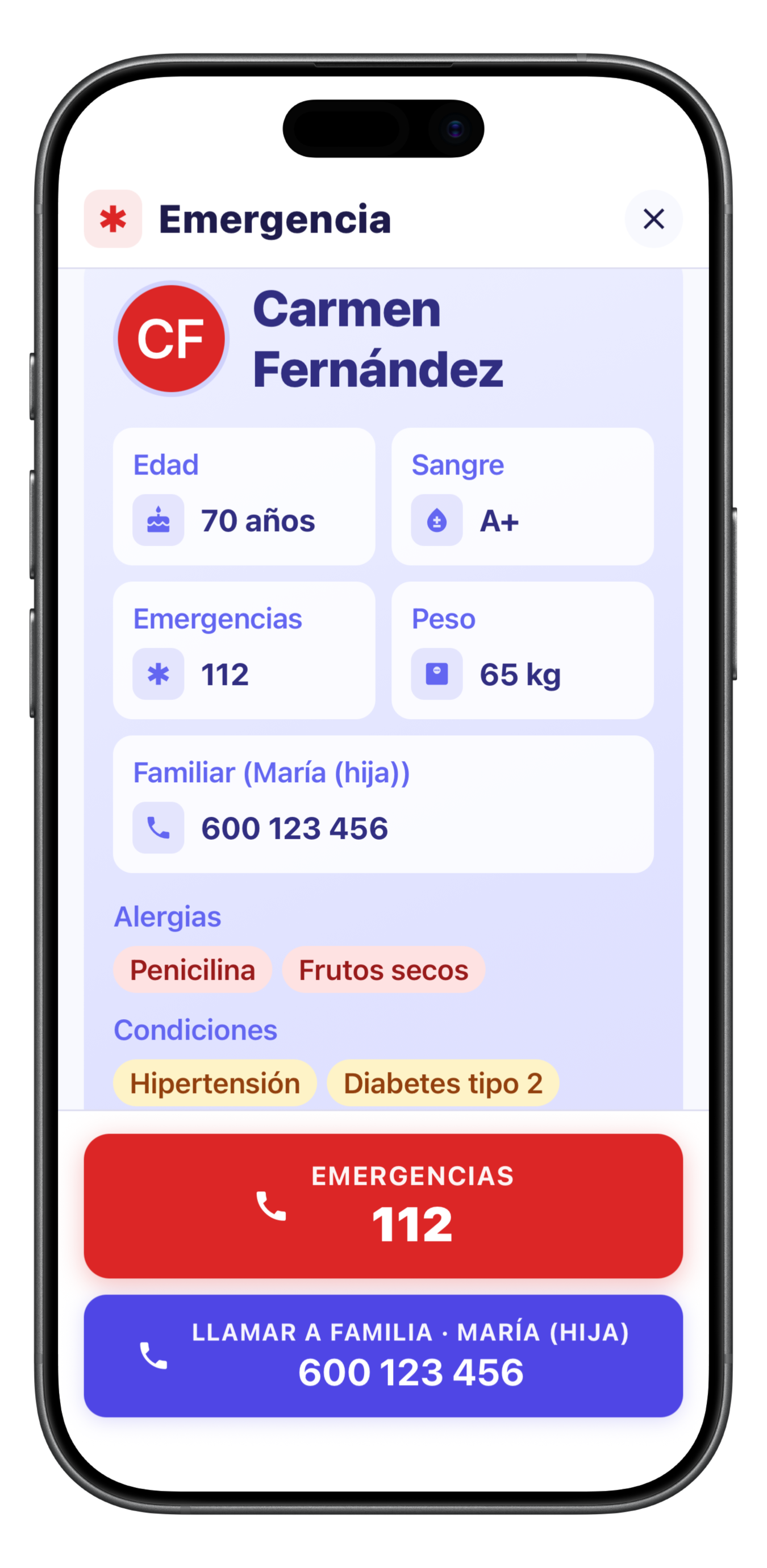
The SOS screen: medical record, allergies and emergency contacts, one tap away.
Download PNG 589 KB -
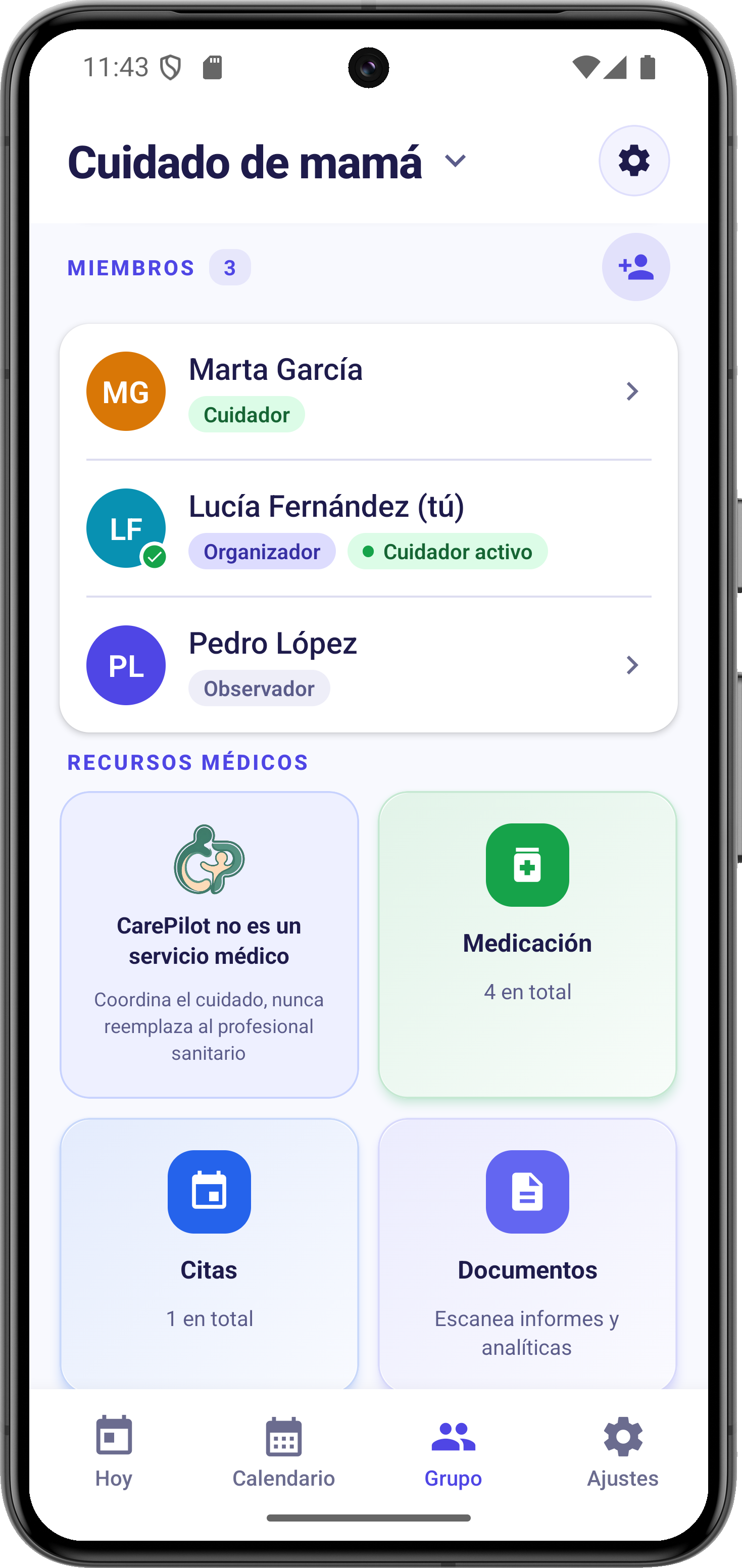
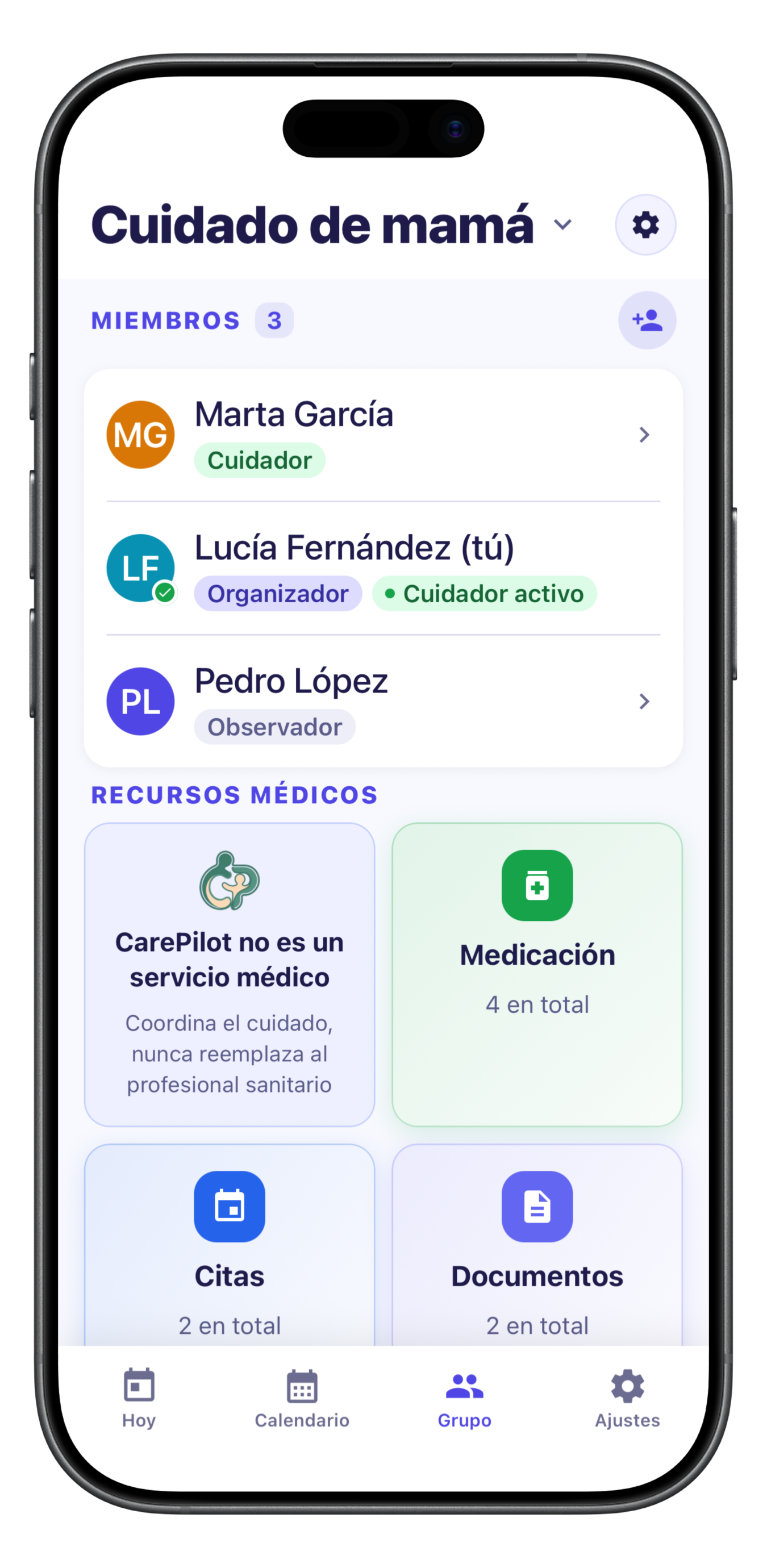
The care team, with a role for each person: organiser, caregiver or observer.
Download PNG 918 KB
-
The “Today” panel: who is caring now, the next dose and the day’s timeline.
Download PNG 1,1 MB -
Each medication with its dose, frequency and duration, and automatic reminders.
Download PNG 1,1 MB -
The AI scanner recognises prescriptions, appointments, receipts and reports, and fills in the data.
Download PNG 5,5 MB -
Medical appointments, centralised in a shared calendar.
Download PNG 964 KB -
Care spending, broken down by category and across the year.
Download PNG 1,1 MB -
The SOS screen: medical record, allergies and emergency contacts, one tap away.
Download PNG 1,2 MB -
The care team, with a role for each person: organiser, caregiver or observer.
Download PNG 1,5 MB
— Footage
Videos
Watch them right here and download them at original quality to host on your own platform. If you need another format, length or language, we will prepare it.
Feature walkthrough
A tour of the app’s main screens, in landscape. The handiest one to embed inside an article.
App demo
The app in use, screen-recorded in portrait, made for social media.
Download at original qualityMP4 · 1080×1920 · 2,8 MB
Presentation
The CarePilot presentation piece, in portrait. Scenes illustrated with artificial intelligence.
Download at original qualityMP4 · 1080×1920 · 14,2 MB
App footage was recorded on Android; the app is identical on iPhone. On-screen text is in Spanish and we can export a version without it.
— Fact sheet
CarePilot in figures
The verified facts most often needed when writing. If you need to confirm anything else, just ask.
What it is
A mobile app for coordinating the care of an older or dependent person: medication, appointments, care shifts, tasks, expenses, documents and daily notes, shared in real time between family and caregivers.
What it is not
It is not a medical app: it does not diagnose, does not treat and does not replace any healthcare professional. It is not a telecare service either: the SOS screen gathers the data and places the call, but there is no call centre behind it.
Developed by
Utility Lab Studio (Spain) — Jose Boluda Arrazola
Platforms
Android (Google Play) and iPhone (App Store)
Released
Android: July 2026 · iPhone: August 2026
Requirements
Android 7.0 or later · iPhone with iOS 15.1 or later (no iPad version)
Price
Free · Plus €6.99/month or €59.99/year · Pro €12.99/month or €99.99/year (Spain, VAT included; varies by country)
Languages
Spanish, English, German, French, Italian and Brazilian Portuguese
Privacy
End-to-end encryption, no ads, no data selling, GDPR compliant
— Who is behind it
The developer
Jose Boluda
Developer of CarePilot and founder of Utility Lab Studio
Jose Boluda (Jaén, Spain) has spent his whole career in technology: a Higher Technician in Network Systems Administration, he has more than twenty years in systems administration, across private companies and public bodies, specialising in Linux and free software. He has built Linux distributions — among them the one used by the first pilot centres of the Guadalinfo programme —, worked on quality assurance for Guadalinex and led free-software migrations in several Andalusian town councils. Since 2021 he has combined development with teaching vocational training for employment.
He is available for interviews: write to the press email and we will agree the format from there — in writing, by phone or on a video call. The kit also includes a nine-question interview already written, ready to publish in full or in part.
— Also available
What else we offer
-
Demo account
With the Pro plan and sample data, so you can try the full app without signing up or using real data. Write to us and we will set it up within 24-48 hours.
-
Tailored material
Another video format, screenshots in any of the app’s six languages, or the specific data you need to verify.
-
The user guides
Sixteen step-by-step guides with screenshots of every screen, published in all six languages. Handy for checking any feature before writing.
See the user guides
— Get in touch
Press contact
Write to us and we will reply. If you would rather talk, say so in the email and we will set up a call or a video call.
This is the way in: write to us and we will take it from there, including a call or a video call.
- Contact
- Jose Boluda · Utility Lab Studio
- Availability
- Interviews, demos and extra data within 24-48 h
Every article helps one more family discover that coordinating care does not have to be chaos. To us, that is already news.